Tag Archives: software development

  • 0

The Importance of No-Code Apps in Software Development

Category:Artificial Intelligence,Programming,SAP,Web Design Tags : 

In the ever-evolving world of technology, the demand for efficient and rapid software development has never been higher. Traditional methods of coding, while powerful and flexible, often require significant time and expertise. This is where no-code platforms like AppGyver and SAP Build come into play. These platforms enable users to create software applications without writing a single line of code, democratizing the development process and opening up new opportunities for businesses and individuals alike. In this article, we will explore the importance of no-code apps in software development, focusing on how they are revolutionizing the industry.

1. Democratizing Software Development

One of the most significant impacts of no-code platforms is the democratization of software development. Traditional software development often requires a deep understanding of programming languages, frameworks, and algorithms. This can be a barrier for individuals and small businesses without the resources to hire skilled developers. No-code platforms break down these barriers by providing intuitive visual interfaces and drag-and-drop functionalities that allow anyone to create complex applications.

Empowering Citizen Developers No-code platforms empower “citizen developers” – individuals who may not have formal training in software development but have a keen understanding of their business processes and requirements. With tools like AppGyver and SAP Build, these users can translate their ideas into functional applications quickly and efficiently. This shift not only accelerates the development process but also fosters innovation within organizations by tapping into the creativity and expertise of a broader range of employees.

2. Accelerating Time-to-Market

In today’s fast-paced business environment, speed is critical. Traditional software development cycles can be lengthy, involving requirements gathering, design, development, testing, and deployment. No-code platforms streamline this process significantly.

Rapid Prototyping and Iteration No-code tools enable rapid prototyping, allowing developers to create a working version of an application in a matter of hours or days rather than weeks or months. This agility is crucial for businesses looking to test new ideas, respond to market changes, or meet customer demands swiftly. Additionally, the visual nature of no-code development facilitates quick iterations, enabling developers to refine and improve their applications based on real-time feedback.

3. Reducing Development Costs

Building software from scratch can be expensive, especially for small businesses and startups. The costs associated with hiring skilled developers, investing in development infrastructure, and maintaining codebases can be prohibitive. No-code platforms offer a cost-effective alternative.

Lowering Financial Barriers By eliminating the need for extensive coding knowledge and reducing development time, no-code platforms significantly lower the financial barriers to entry. Businesses can allocate their resources more efficiently, focusing on strategic initiatives rather than the technical complexities of software development. This cost-efficiency makes no-code platforms an attractive option for startups and small to medium-sized enterprises (SMEs) looking to innovate without breaking the bank.

4. Enhancing Flexibility and Adaptability

In a rapidly changing technological landscape, flexibility and adaptability are key to staying competitive. Traditional development methods can be rigid, making it challenging to adapt to new requirements or pivot in response to market shifts. No-code platforms offer a high degree of flexibility.

Adapting to Changing Needs With no-code tools, making changes to an application is straightforward and can be done in real-time. This adaptability is particularly valuable for businesses operating in dynamic industries where requirements can change frequently. Whether it’s adding new features, modifying existing ones, or integrating with other systems, no-code platforms provide the agility needed to stay ahead of the curve.

5. Bridging the IT Skills Gap

The IT industry is facing a significant skills gap, with a shortage of qualified developers to meet the growing demand for software applications. This gap poses a challenge for organizations looking to innovate and scale their operations. No-code platforms can help bridge this gap.

Enabling Business and IT Collaboration No-code tools foster collaboration between business users and IT departments. Business users can take the lead in developing applications that meet their specific needs, while IT professionals can focus on more complex and strategic tasks. This collaboration not only alleviates the pressure on IT teams but also ensures that the resulting applications align closely with business objectives.

6. Ensuring Security and Compliance

Security and compliance are critical concerns in software development. Traditional development processes often require extensive security reviews and compliance checks, which can be time-consuming and costly. No-code platforms address these concerns by incorporating robust security features and compliance frameworks.

Built-in Security Measures Platforms like AppGyver and SAP Build come with built-in security features, including data encryption, user authentication, and access control. These features help ensure that applications developed on these platforms meet industry standards and regulatory requirements. Additionally, the centralized nature of no-code platforms allows for easier monitoring and management of security protocols, reducing the risk of vulnerabilities.

7. Facilitating Innovation and Creativity

Innovation is the lifeblood of any successful business. No-code platforms provide a fertile ground for creativity by enabling users to experiment with new ideas without the constraints of traditional coding.

Fostering a Culture of Innovation By lowering the barriers to entry and reducing the time and cost associated with development, no-code platforms encourage experimentation and innovation. Businesses can quickly prototype and test new concepts, iterate based on feedback, and bring innovative solutions to market faster. This culture of innovation can lead to the discovery of new business models, products, and services that drive growth and differentiation.

8. Promoting Scalability

Scalability is a crucial consideration for businesses looking to grow. No-code platforms are designed to support scalable development, allowing applications to grow and evolve alongside the business.

Supporting Growth No-code tools provide the infrastructure needed to handle increased workloads and user demands. As businesses expand, they can easily scale their applications by leveraging the cloud-based architecture of platforms like AppGyver and SAP Build. This scalability ensures that applications remain performant and reliable, even as usage and complexity increase.

Case Studies and Real-World Applications

To illustrate the impact of no-code platforms, let’s look at some real-world examples:

1. Small Business Innovation A small retail business used AppGyver to develop a custom inventory management system tailored to their specific needs. The no-code approach allowed them to quickly prototype and refine the system, leading to improved inventory accuracy and operational efficiency.

2. Healthcare Solutions A healthcare startup leveraged SAP Build to create a patient management application. The platform’s robust security features ensured compliance with healthcare regulations, while the visual development interface enabled the team to iterate rapidly based on user feedback, ultimately improving patient care and satisfaction.

3. Enterprise Transformation A large enterprise used no-code tools to streamline their internal processes. By empowering business users to develop their own applications, they reduced the burden on the IT department and accelerated digital transformation initiatives across the organization.

The Future of No-Code Development

The future of no-code development looks promising, with continued advancements in technology and increasing adoption across industries. As artificial intelligence (AI) and machine learning (ML) capabilities are integrated into no-code platforms, the potential for innovation will only grow. These technologies will further enhance the ability of no-code tools to understand and predict user needs, making development even more intuitive and efficient.

Expanding Ecosystems The ecosystems surrounding no-code platforms are also expanding, with a growing number of third-party integrations and plugins. This expansion enhances the functionality of no-code tools, allowing users to connect their applications with a wide range of services and systems.

Education and Training As the demand for no-code skills increases, educational institutions and training programs are beginning to offer courses and certifications in no-code development. This trend will help build a new generation of citizen developers equipped with the knowledge and skills to leverage no-code platforms effectively.

Conclusion

No-code platforms like AppGyver and SAP Build are revolutionizing the software development landscape. By democratizing development, accelerating time-to-market, reducing costs, enhancing flexibility, bridging the IT skills gap, ensuring security, fostering innovation, and promoting scalability, these tools are transforming the way businesses and individuals approach software creation. As technology continues to evolve, the importance of no-code platforms will only grow, making them an indispensable part of the future of software development.


  • 0

Best Practices for Creating CDS Views in Eclipse

Category:Programming,SAP,SAP ABAP Tags : 

Introduction:

CDS views (Core Data Services) are a powerful tool in SAP’s ABAP programming language that allows you to define semantically rich data models and create database views.

At also Eclipse is an integrated development environment (IDE) widely used by ABAP developers for CDS development.

This guide will walk you through the best practices for creating CDS views using Eclipse, ensuring efficient and maintainable code.

Prerequisites:

Before you begin, ensure that you have the following set up:

  1. SAP NetWeaver ABAP Development Tools (ADT) installed in your Eclipse IDE, if you haven’t this tools please follow the instructions from this link https://tools.hana.ondemand.com/#abap
  2. Access to an SAP system with the required authorization to create CDS views.

Step 1:

In order to create a New CDS View To create a new CDS view in Eclipse, follow these steps:

  1. In the Eclipse IDE, open the ABAP Development Perspective.
  2. Right-click on your package or folder where you want to create the CDS view.
  3. Select “New” → “Other ABAP Repository Object.”
  4. In the “New ABAP Repository Object” wizard, select “Core Data Services” → “Data Definition.”
  5. Click “Next” and provide a meaningful name and description for your CDS view.
  6. Choose the package and transport request for your CDS view.
  7. Click “Finish” to create the CDS view.

Step 2:

Define the CDS View Structure Next, define the structure of your CDS view using the CDS Data Definition Language (DDL). Here’s an example of a simple CDS view:

abap
@AbapCatalog.sqlViewName: 'ZCDS_SAMPLE'
@AbapCatalog.compiler.compareFilter: true
@AccessControl.authorizationCheck: #CHECK
@EndUserText.label: 'Sample CDS View'
define view Z_CDS_SAMPLE as select from spfli as Flight {
    key Flight.Carrid,
    key Flight.Connid,
    Flight.Fldate,
    Flight.Price,
    Flight.Currency,
    Flight.Planetype,
    Flight.Seatsmax
} 

Step 3:

Enhance Your CDS View To enhance your CDS view, you can add calculated fields, associations, annotations, and other advanced features. Here’s an example of adding a calculated field and an annotation:

abap
@AbapCatalog.sqlViewName: 'ZCDS_SAMPLE'
@AbapCatalog.compiler.compareFilter: true
@AccessControl.authorizationCheck: #CHECK
@EndUserText.label: 'Sample CDS View'
define view Z_CDS_SAMPLE as select from spfli as Flight {
    key Flight.Carrid,
    key Flight.Connid,
    Flight.Fldate,
    Flight.Price,
    Flight.Currency,
    Flight.Planetype,
    Flight.Seatsmax,
    (Flight.Price * 1.1) as PriceWithTax
} 

Step 4:

Test and Activate Your CDS View After defining your CDS view, it’s essential to test and activate it. To do so, right-click on your CDS view file and select “Activate” from the context menu. Ensure that there are no syntax errors or activation issues.

Step 5:

Utilize Naming Conventions and Documentation To maintain consistency and improve code readability, follow naming conventions for CDS views and its elements. Additionally, document your CDS view using annotations like @EndUserText.label to provide meaningful descriptions. This practice makes it easier for other developers to understand and use your CDS view.

Step 6:

Perform Regular Code Reviews
Perform regular code reviews of your CDS views to identify any performance bottlenecks, code smells, or areas for improvement.

Performing regular code reviews of your CDS views is crucial to ensure their efficiency and maintainability. Here are some key points to consider during code reviews:

  1. Performance Optimization: Review your CDS view for potential performance bottlenecks. Avoid unnecessary calculations, joins, or filters that could impact query execution time. Consider using appropriate database-specific optimizations like table indexes or partitioning.
  2. Readability and Maintainability: Ensure that your CDS view code is clear, concise, and follows standard naming conventions. Use meaningful names for entities, fields, and annotations. Break down complex logic into smaller, reusable entities or subviews.
  3. Error Handling: Check for proper error handling and error messages in your CDS view. Handle exceptions or unexpected scenarios gracefully and provide meaningful error messages to aid debugging and troubleshooting.
  4. Documentation: Document your CDS view thoroughly, including its purpose, input parameters, output structure, and any assumptions or limitations. Add comments within the code to clarify complex logic or business rules.
  5. Data Access Control: Consider applying appropriate access control annotations (@AccessControl) to restrict access to sensitive data within your CDS view. Follow the principle of least privilege while defining authorization checks.
  6. Test Coverage: Ensure that your CDS view has comprehensive test coverage. Write unit tests to validate different scenarios and edge cases. Verify that the CDS view returns the expected results and handles errors gracefully.

Step 7:

Version Control and Transport Management

To ensure proper version control and transport management of your CDS views, follow these best practices:

  1. Version Control: Store your CDS view source code in a version control system, such as Git. This allows you to track changes, collaborate with other developers, and easily revert to previous versions if needed. Use descriptive commit messages to provide clarity about the changes made.
  2. Transport Requests: Create a transport request for your CDS view to move it between different system landscapes (e.g., development, quality assurance, production). Assign the CDS view and its related artifacts (annotations, data elements, etc.) to the same transport request for consistency.
  3. Transport Route: Follow the established transport route in your organization’s landscape. Ensure that the necessary approvals and quality checks are performed before moving the CDS view to higher landscapes. This helps maintain system integrity and avoids unintended changes in production.
  4. Proper Testing: Before including the CDS view in a transport request, thoroughly test it in the respective system landscape. Perform integration tests, regression tests, and verify the compatibility with dependent objects or applications.
  5. Change Documentation: Document any changes or updates made to the CDS view in the transport request. Include details about the purpose of the changes, any potential impacts, and relevant information for future reference.

Step 8:

Continuous Improvement

CDS views are a vital component of your SAP system, and continuous improvement is crucial to ensure optimal performance and functionality. Consider the following practices:

  1. Performance Monitoring: Monitor the performance of your CDS views and identify areas that can be optimized. Analyze runtime statistics, SQL execution plans, and system logs to identify bottlenecks. Adjust the CDS view structure or implement performance tuning techniques accordingly.
  2. Feedback and Collaboration: Foster a culture of collaboration and feedback within your development team. Encourage developers to share knowledge, exchange ideas, and provide constructive feedback on CDS views. Regularly review and refine your CDS views based on lessons learned and feedback received.
  3. Stay Updated: Stay informed about the latest SAP releases, updates, and best practices related to CDS development. Attend webinars, conferences, and training sessions to stay up-to-date with new features and improvements in CDS modeling.
  4. Code Reusability: Identify opportunities to reuse existing CDS views or elements in new developments. Leverage the modular nature of CDS views to create reusable components, reducing duplication and promoting consistency across applications.

Conclusion:

By following these best practices for creating CDS views in Eclipse, and adopting a proactive approach to version control, transport management, and continuous improvement, you can ensure the development of high-quality, efficient, and maintainable CDS views. Leveraging these guidelines will help you create robust and scalable solutions within the SAP ecosystem.

Remember to adapt these practices to the specific requirements and guidelines of your organization and project. Regularly review and update your CDS views based on evolving business needs and emerging best practices.

Happy CDS development!


  • 0

Basic Fundamentals of Object-Oriented Programming in ABAP

Category:Programming,SAP,SAP ABAP Tags : 

Introduction: In the realm of SAP development, Object-Oriented Programming (OOP) has emerged as a powerful paradigm for creating robust, maintainable, and adaptable software solutions. Leveraging the capabilities of ABAP (Advanced Business Application Programming), developers can harness the principles of OOP to build applications that align more closely with business requirements. In this article, we delve into the core concepts of Object-Oriented Programming in ABAP, offering insights into classes, objects, inheritance, encapsulation, and polymorphism. By understanding these fundamental building blocks, developers can unlock new avenues of efficiency and flexibility in their SAP projects.

Table of Contents:

  1. Understanding OOP in ABAP
    • The Evolution of ABAP: From Procedural to OOP
    • Advantages of Object-Oriented Programming in ABAP
  2. Key Concepts in OOP:
    • Classes and Objects:
      • Defining Classes and Their Significance
      • Creating Objects: Instances of Classes
    • Encapsulation:
      • Data Hiding and Access Control
      • Methods: Encapsulating Behavior
    • Inheritance:
      • Extending Classes: Superclasses and Subclasses
      • Overriding and Inheriting Methods
    • Polymorphism:
      • Achieving Flexibility through Polymorphic Behavior
      • Interfaces: Defining Contracts for Polymorphism
  3. Implementing OOP in ABAP:
    • Class Definitions and Implementations:
      • Syntax and Structure of Class Definitions
      • Separating Public and Private Components
    • Creating Objects and Invoking Methods:
      • Instantiating Objects
      • Invoking Methods for Data Manipulation
    • Inheritance and Polymorphism in ABAP:
      • Extending Classes and Overriding Methods
      • Implementing Interfaces for Polymorphism
  4. Benefits of OOP in SAP:
    • Modularity and Reusability:
      • Building Modular Components
      • Reusing Classes and Objects
    • Enhanced Maintenance and Adaptability:
      • Isolating Changes to Specific Classes
      • Adapting to Evolving Business Needs
  5. Real-World Use Cases:
    • Custom Enhancements:
      • Extending SAP Standard Functionalities
      • Adding Custom Logic through OOP
    • Complex Business Processes:
      • Modeling Complex Workflows with OOP
      • Improving Process Efficiency
  6. Best Practices for OOP in ABAP:
    • Naming Conventions and Clarity:
      • Choosing Descriptive Names for Classes and Methods
      • Enhancing Readability of Code
    • Avoiding Over-Engineering:
      • Focusing on Simplicity and Relevance
      • Balancing Abstraction and Practicality
  7. Conclusion: Embracing OOP for SAP Development
    • Recapitulation of Core Concepts
    • Empowering SAP Projects with OOP Principles

Code Snippet 1: Defining a Class in ABAP

abap
CLASS ZCL_MY_CLASS DEFINITION.
  PUBLIC SECTION.
    METHODS: constructor,
             get_data,
             set_data.
  PRIVATE SECTION.
    DATA: data_field TYPE STRING.
ENDCLASS.

CLASS ZCL_MY_CLASS IMPLEMENTATION.
  METHOD constructor.
    data_field = ''.
  ENDMETHOD.

  METHOD get_data.
    RETURN data_field.
  ENDMETHOD.

  METHOD set_data.
    data_field = iv_data.
  ENDMETHOD.
ENDCLASS.

Code Snippet 2: Creating an Object and Using Methods

abap
DATA: lo_my_object TYPE REF TO ZCL_MY_CLASS.

CREATE OBJECT lo_my_object.
lo_my_object->set_data( 'Important Information' ).
DATA lv_data TYPE STRING.
lv_data = lo_my_object->get_data( ).
WRITE: / 'Object data:', lv_data.

Code Snippet 3: Inheritance in ABAP

abap
CLASS ZCL_SUBCLASS DEFINITION INHERITING FROM ZCL_MY_CLASS.
  PUBLIC SECTION.
    METHODS: show_subclass_info.
ENDCLASS.

CLASS ZCL_SUBCLASS IMPLEMENTATION.
  METHOD show_subclass_info.
    WRITE: / 'This is the subclass inheriting from the superclass'.
  ENDMETHOD.
ENDCLASS.

DATA: lo_subclass TYPE REF TO ZCL_SUBCLASS.
CREATE OBJECT lo_subclass.
lo_subclass->show_subclass_info( ).

Conclusion: Object-Oriented Programming in ABAP provides an effective way to structure and organize code in SAP systems. By defining classes, objects, methods, and applying concepts like encapsulation and inheritance, developers can create more modular, maintainable, and adaptable applications as business needs evolve. Integrating OOP into ABAP development significantly contributes to the quality and efficiency of the software development process in the SAP environment.


  • 0

How AI and Speechelo Can Improve Software Development

Category:Artificial Intelligence,Programming Tags : 

Summary:

Artificial intelligence (AI) is rapidly transforming the software development landscape. AI-powered tools are helping developers to write code more quickly, accurately, and efficiently. They are also helping to improve the quality of software by identifying and fixing bugs earlier in the development process.

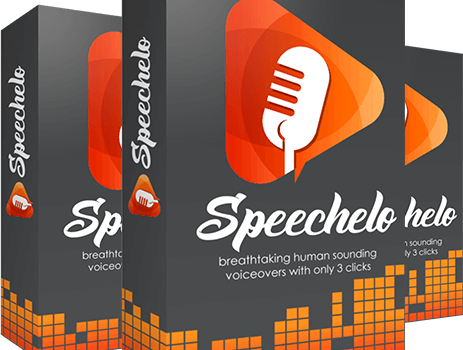
Speechelo is a text-to-speech (TTS) app that uses AI to create natural-sounding audio recordings from text. This can be a valuable tool for software developers, as it can help them to:

  • Read code aloud: This can help developers to catch errors in their code that they might not otherwise see.
  • Generate documentation: Speechelo can be used to generate documentation for software projects. This can save developers a lot of time and effort.
  • Create training materials: Speechelo can be used to create training materials for software projects. This can help developers to onboard new team members more quickly.

Benefits of subscribing to Speechelo:

  • Natural-sounding audio recordings: Speechelo uses AI to create natural-sounding audio recordings from text. This makes it a more effective tool for reading code aloud and generating documentation than other TTS apps.
  • Wide range of voices: Speechelo offers a wide range of voices, so developers can choose the voice that best suits their needs.
  • Easy to use: Speechelo is easy to use, even for developers who are not familiar with TTS apps.
  • Affordable: Speechelo is a relatively affordable app, especially considering the benefits it offers.

How AI and Speechelo can improve software development:

AI and Speechelo can improve software development in a number of ways. For example, AI can be used to automate tasks such as code linting and unit testing. This can free up developers to focus on more creative and strategic work. Speechelo can be used to read code aloud, generate documentation, and create training materials. This can help developers to catch errors in their code, onboard new team members more quickly, and create more effective training materials.

Don’t let poor communication hold you back any longer! Sign up for Speechlo today and start your journey to becoming a better speaker and communicator. Whether you’re looking to improve your public speaking skills, negotiate more effectively, or simply express your ideas more clearly, Speechlo has the tools and insights you need to succeed. So what are you waiting for? Sign up now!


Archives

Categories