Tag Archives: SAP Integration Suite

  • 0

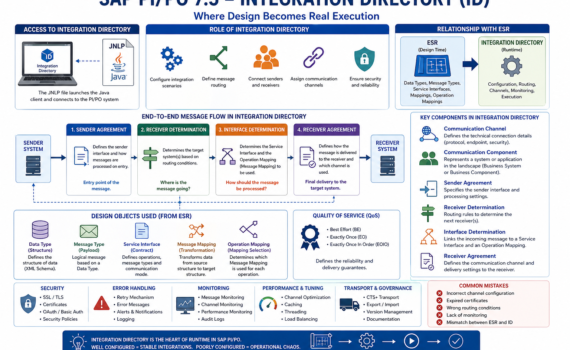
Integration Directory in SAP Process Orchestration: where design turns into real execution

Category:Programming,SAP,SAP PI/PO Tags : 

Hard truth (business-first, no fluff)

You can have a perfect design in ESR… but if your Integration Directory (ID) is poorly configured, nothing works. The ID is not a “nice-to-have”; it’s the operational core where decisions are made about who talks to whom, through which channel, and under what rules. This is where integration stability is either built—or destroyed.


1) What is the Integration Directory?

The Integration Directory (ID) is the PI/PO component responsible for runtime configuration of integrations.

If ESR is design, ID is live execution.

Executive analogy

  • ESR = architectural blueprint
  • ID = construction site
  • Runtime = building in operation

2) Accessing the Integration Directory: JNLP

Like ESR, the ID is accessed via a Java-based client using a JNLP (Java Network Launch Protocol) file.

What does JNLP do?

  • Launches the configuration client
  • Connects to the PI/PO system
  • Loads configuration objects

Analogy

JNLP is the remote control for operating your integration system.

Operational reality

  • Java dependency
  • Security and compatibility challenges
  • Certificate configuration requirements

Practical insight: many connection issues are not SAP problems—they are Java issues.


3) Role of the Integration Directory in the architecture

The ID is responsible for:

  • Configuring integration scenarios
  • Defining message routing
  • Connecting senders and receivers
  • Assigning communication channels

Analogy

The ID is the logistics control center of your enterprise.


4) Key components of the Integration Directory

4.1 Communication Channel

Defines how systems connect.

Types

  • REST
  • SOAP
  • IDoc
  • File
  • JDBC

Elements

  • Protocol
  • Endpoint
  • Security

Analogy

It’s the network cable through which messages travel.


4.2 Communication Component

Represents a system in the landscape.

Types

  • Business System
  • Business Component

Analogy

It’s an actor in the integration ecosystem.


4.3 Sender Agreement

Defines:

  • Which interface sends the message
  • How it is processed on entry

Analogy

It’s the airport check-in counter.


4.4 Receiver Determination

Defines the target system(s) for the message.

Logic

  • Condition-based
  • Can be multiple receivers

Analogy

It’s the GPS deciding the destination.


4.5 Interface Determination

Defines:

  • Which Service Interface to use
  • Which mapping to apply

Analogy

It’s the instruction manual.


4.6 Receiver Agreement

Defines:

  • How the message is delivered
  • Which channel is used

Analogy

It’s the last-mile delivery logistics.


5) Full message flow

  1. Sender Agreement receives the message
  2. Receiver Determination selects destination
  3. Interface Determination defines transformation
  4. Receiver Agreement delivers the message

Analogy

Like shipping a package:

  • Intake → sorting → transformation → delivery

6) Relationship with ESR

The ID consumes design objects from ESR:

  • Data Types
  • Message Types
  • Service Interfaces
  • Message Mappings
  • Operation Mappings

Analogy

ESR = factory
ID = distribution


7) Data Type and Message Type at runtime

Although designed in ESR, they impact runtime behavior.

Function

  • Message validation
  • Payload structure

Analogy

They are the standard packaging format.


8) Service Interface in ID

Defines which operation is executed.

Types

  • Synchronous
  • Asynchronous

Impact

Determines message behavior.


9) Message Mapping execution

The ID uses mappings defined in ESR.

Function

Transforms data before delivery.

Analogy

It’s the real-time translator.


10) Operation Mapping

Defines which mapping is applied.

Usage

Configured in Interface Determination.

Analogy

It’s the strategy selector.


11) Advanced routing

Conditions

  • XPath
  • Context variables

Example

Route high-value orders to a different system.


12) Quality of Service (QoS)

Types

  • Best Effort
  • Exactly Once (EO)
  • Exactly Once In Order (EOIO)

Analogy

It’s the delivery guarantee level.


13) Error handling

Strategies

  • Retries
  • Alerts
  • Logging

Analogy

It’s the contingency plan.


14) Security in Integration Directory

  • SSL
  • Certificates
  • OAuth
  • Basic authentication

Analogy

It’s your system’s digital customs control.


15) Monitoring

Tools:

  • Message Monitoring
  • Channel Monitoring

Analogy

The operations control center.


16) Performance tuning

Best practices

  • Avoid unnecessary mappings
  • Use caching
  • Optimize channels

17) Transport across environments

ID configurations are transported using:

  • CTS+
  • Export/Import

Risk

Misalignment between ESR and ID.


18) Governance

Key rules

  • Consistent naming
  • Versioning
  • Documentation

19) Common mistakes

  • Misconfigured channels
  • Expired certificates
  • Lack of monitoring
  • Incorrect routing

20) Evolution toward the cloud

The future points to:
SAP Integration Suite

Key shift

  • Web-based configuration
  • API-first approach
  • Event-driven architectures

21) Strategic conclusion

The Integration Directory is where:

  • Design becomes business value
  • Integrations come to life

Well configured:

  • Stability
  • Scalability
  • Control

Poorly configured:

  • Operational chaos

  • 0

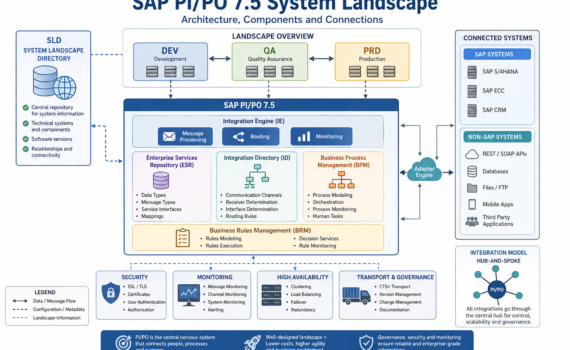
SAP PI/PO 7.5 System Landscape: architecture, components, and how to orchestrate it without breaking your operation

Category:Programming,SAP PI/PO Tags : 

Introduction: the “nervous system” of your digital enterprise

In any modern organization, systems don’t operate in isolation: ERP, CRM, e-commerce, banking, logistics, analytics—all need to communicate. SAP Process Orchestration acts as the central nervous system coordinating that communication.

From a business perspective: PI/PO is your integration hub.
From a technical perspective: it’s a service bus with capabilities for orchestration, routing, transformation, and governance.
From a practical perspective: it prevents a messy, unmaintainable point-to-point integration nightmare.


1) The map: what is the System Landscape?

The System Landscape is the official map of all systems involved in integration—who they are, how they connect, what roles they play, and which rules they follow.

Clear analogy: think of an airport network

  • Each system = a city/airport
  • PI/PO = the control tower + central hub
  • Messages = flights
  • SLD = the global aviation map

Without that map, there are no reliable routes—only chaos.


2) The core piece: SLD (System Landscape Directory)

System Landscape Directory is the central repository of technical information about all connected systems.

What does the SLD store?

  • Technical systems (ECC, S/4, CRM, external systems)
  • Software versions
  • Integration components
  • Relationships between systems

Analogy

The SLD is like a digital land registry:
it knows what exists, where it is, and how it connects.

Real impact

If your SLD is poorly maintained:

  • Interfaces fail
  • Transports break
  • Routing becomes inconsistent

Hard truth: most integration issues start with a neglected SLD.


3) Landscapes: DEV, QA, PRD

A professional landscape is split into:

  • DEV (Development): where you build
  • QA (Quality): where you test
  • PRD (Production): where business runs

Analogy

Building a car:

  • DEV = design
  • QA = crash testing
  • PRD = real road

Best practice

Never develop in production. That’s not agility—it’s operational risk.


4) Core components of the Landscape

4.1 Integration Engine (IE)

The message execution engine

Function:

  • Receives messages
  • Applies rules
  • Routes them

Analogy: the instinctive brain—fast decisions, direct action


4.2 Adapter Engine (AE)

Where all connectivity adapters live (REST, SOAP, IDoc, JDBC, File, etc.)

Function:

  • Connect SAP to external systems

Analogy: the USB ports of your integration platform


4.3 Enterprise Services Repository (ESR)

Repository of integration design objects:

  • Data Types
  • Message Types
  • Service Interfaces
  • Mappings

Analogy: the architectural blueprint of a city


4.4 Integration Directory (ID)

Runtime configuration:

  • Communication channels
  • Receiver determination
  • Routing logic

Analogy: a real-time GPS system


4.5 BPM (Business Process Management)

Handles complex process orchestration:

  • Sequences
  • Decisions
  • State handling

Analogy: an orchestra conductor


4.6 BRM (Business Rules Management)

Manages dynamic business rules

Analogy: the rulebook of the business


5) Types of systems in the Landscape

SAP systems

  • ECC
  • S/4HANA
  • CRM

Non-SAP systems

  • REST APIs
  • Databases
  • Mobile apps

Analogy

Think of a football team:

  • SAP = experienced core players
  • Non-SAP = external talent

PI/PO ensures they all play under the same strategy.


6) Communication types

Synchronous

  • Immediate response
  • Example: REST API

Asynchronous

  • Delayed processing
  • Example: IDoc

Analogy

  • Synchronous = phone call
  • Asynchronous = email

7) Integration models

Point-to-point (anti-pattern)

Each system connects directly to others

Result: exponential complexity

Hub-and-Spoke (PI/PO)

Everything goes through a central hub

Result: control and scalability

Hard truth: if you have more than 10 point-to-point integrations, you already have technical debt.


8) Transport and governance

Objects move between systems using:

  • CTS+
  • File-based transport

Analogy

Like moving containers between ports

Risk

Without governance:

  • Version inconsistencies
  • Production failures

9) Security in the Landscape

  • SSL
  • OAuth
  • Certificates
  • Basic authentication

Analogy

Your system’s border control


10) Monitoring and operations

Tools:

  • Message Monitoring
  • Channel Monitoring
  • Component Monitoring

Analogy

The air traffic control center


11) Scalability and high availability

  • Clustering
  • Load balancing
  • Failover

Analogy

An airport with multiple runways


12) Best practices (no sugarcoating)

  • Keep your SLD clean
  • Version everything
  • Avoid unnecessary complexity in mappings
  • Document as if you’re leaving tomorrow

13) Common mistakes

  • Outdated SLD
  • Overuse of BPM
  • Overcomplicated mappings
  • Lack of monitoring

14) The future of the Landscape

While PI/PO remains relevant, the roadmap clearly points to:
SAP Integration Suite

Paradigm shift

  • On-premise → Cloud
  • Monolithic → Modular
  • Transport-based → DevOps-driven

15) Strategic conclusion

The System Landscape is not just technical—it’s a strategic asset.

Well-designed:

  • Reduces costs
  • Increases speed
  • Enables scalability

Poorly designed:

  • Turns your architecture into a bottleneck

  • 0

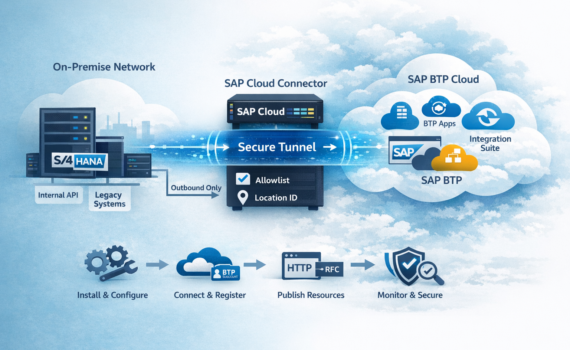
DIY Guide: Install and Production-Ready SAP Cloud Connector (SCC)

Category:Programming,SAP,SAP BTP Tags : 

The hard truth (and the useful one)

SAP Cloud Connector is not “just an installer.” It’s a security component that creates a controlled bridge between your on-prem network and SAP BTP. If you treat it like any other setup wizard, you’ll end up running it with too many privileges, opening more than you should, and having too little visibility. And yes—those shortcuts usually detonate in production, right on schedule.

That said, SCC is one of the most rewarding SAP platform building blocks when configured correctly: it reduces attack surface (traffic is outbound), enforces allowlists, separates environments with Location IDs, and gives your integration landscape a scalable foundation.

This DIY guide takes you from zero to “connected” with an enterprise-ready approach: prerequisites, architecture decisions, installation on Windows or Linux, connecting to your BTP subaccount, publishing resources (HTTP/RFC), testing, hardening, operations, and troubleshooting.


1) What SAP Cloud Connector is and when you need it

SCC is an agent that runs inside your network (datacenter or VPC) and establishes a secure tunnel to SAP BTP. Its purpose is to enable Cloud-to-On-Premise connectivity for services and apps in BTP without exposing internal systems to the Internet.

Typical use cases

  • SAP Integration Suite (Cloud Integration/CPI) consuming internal APIs (HTTP/S) or RFC into ECC/S/4HANA.
  • Apps on SAP BTP (Cloud Foundry / Kyma) accessing internal services (OData, REST, SOAP, RFC).
  • Controlled connectivity to non-SAP internal endpoints (microservices, internal gateways, legacy ESB).

When it’s not the best option

  • If your strategy is “API-first inbound” with API Gateway + WAF + OAuth and your org prefers controlled exposure to the Internet.
  • If you need direct inbound traffic into your network from the public Internet (SCC is designed to avoid that).
  • If your main pain is identity/IAM: SCC solves connectivity—not IAM.

2) Architecture in 5 minutes: how traffic flows

Think of SCC as a “reverse proxy controlled by an allowlist,” built around an outbound tunnel:

  1. BTP (your app or Integration Suite) requests a “virtual” resource (virtual host/port).
  2. BTP connectivity services route the request through the secure channel to the right SCC instance.
  3. SCC translates virtual host/port → real internal host/port only if it’s allowed.
  4. The response returns through the same channel.

Key benefits

  • Outbound-only from your network to BTP (typically HTTPS 443). Fewer firewall wars.
  • Allowlist by resource: you don’t publish “the system,” you publish specific paths/services.
  • Separation by subaccounts and Location ID: governance and clean DEV/QA/PRD separation.
  • Auditability: logs, traces, and controlled change management.

3) Prerequisites: don’t skip this (future-you will thank you)

This isn’t “paperwork.” It’s risk management.

3.1 Infrastructure

  • Dedicated server or VM (recommended).
  • CPU/RAM: for most scenarios, 2 vCPU and 4–8 GB RAM is fine. For high CPI volume, size based on load tests.
  • Disk: usually 10–20 GB; prioritize decent IOPS if you’ll use traces.
  • HA/criticality: decide if SCC is a critical platform component or a tactical enabler.

3.2 Network

  • Internet egress from SCC host to SAP BTP endpoints (HTTPS/443). Corporate networks often require a proxy.
  • Stable DNS: SCC depends on DNS for BTP endpoints and internal systems.
  • Internal reachability from SCC to what you publish (S/4HANA, APIs, gateways, etc.).
  • Admin UI port (HTTPS). Often 8443 by default—restrict access (admin segment/bastion only).

3.3 SAP BTP

  • SAP BTP subaccount.
  • Connectivity service enabled according to your consumption model.
  • Permissions to manage connectivity and Destinations.

3.4 Security & compliance

  • Define who administers SCC (roles, rotation, least privilege).
  • Decide whether to replace the UI certificate with a corporate TLS cert (recommended for regulated environments).
  • Define log retention and whether to centralize into SIEM.

4) Quick design before you click “Next”: decisions that prevent rework

4.1 One SCC per environment (almost always yes)

  • DEV, QA, PRD ideally in separate subaccounts and/or different Location IDs.
  • Avoid mixing PRD with DEV on the same SCC unless governance explicitly allows it.

4.2 Standard naming (because chaos doesn’t scale)

Define conventions for:

  • Subaccount mapping: btp-<country>-<domain>-<env>
  • Location ID: LOC_<APP>_<ENV> (e.g., LOC_LTC_PRD)
  • Virtual Host: vh-<system>-<env> (e.g., vh-s4-prd)
  • Destinations: S4_PRD_RFC, API_PRD_ODATA, etc.

4.3 What you will expose (minimum viable inventory)

  • HTTP(S): OData /sap/opu/odata/, SOAP /sap/bc/srt/, internal REST, etc.
  • RFC: only if needed, and tightly controlled.
  • If unsure: publish one functional service first, validate, then expand.

5) Download: where to get the installer and how to validate it (no “mystery downloads”)

Recommended flow:

  1. Download SCC from your official channel (SAP Support Portal or your internal repository).
  2. Pick the right package for your OS (Windows or Linux x86_64).
  3. Validate integrity if required (hash/signature).
  4. Align with version policy: don’t chase “latest” without QA, but don’t stay obsolete.

Operational tip: store installer + release notes in an internal repo for audits and rollback speed.


6) Windows installation (step by step)

6.1 Prepare the host

  • OS patched.
  • Service account if your standard requires it.
  • Suggested install directory (e.g., C:\SAP\scc).
  • Firewall:
    • Admin UI: only from admin network/bastion.
    • Outbound HTTPS/443 to BTP (direct or via proxy).

6.2 Install

  1. Run the installer as admin.
  2. Accept license.
  3. Choose install path.
  4. Set the Admin UI port (8443 is common; restrict access).
  5. Finish.

6.3 Start the service and open the UI

  • Start the SAP Cloud Connector service.
  • Open: https://<host>:<port>/
  • First run: create an admin user and password.

Admin best practices

  • Long password, rotate.
  • Controlled access—no shared “team password in a note.”

7) Linux installation (RPM/DEB) with an ops mindset

7.1 Prepare the host

  • Time sync (NTP/chrony). TLS hates creative clocks.
  • Firewall and segmentation ready.
  • Decide if you need corporate proxy.

7.2 Install the package

RHEL/CentOS (RPM)

sudo rpm -ivh sapcc-*.rpm

Debian/Ubuntu (DEB)

sudo dpkg -i sapcc-*.deb
sudo apt-get -f install

7.3 Service control (systemd)

sudo systemctl status scc_daemon
sudo systemctl start scc_daemon
sudo systemctl enable scc_daemon

7.4 Access the UI

From an authorized workstation:

  • https://<host>:<port>/

If your browser warns about a self-signed cert: normal at first. In enterprise environments, replace it.


8) First boot: initial setup without risky shortcuts

8.1 Lock down UI access

  • Admin/bastion only.
  • Don’t expose the UI to broad networks “because it’s easier.”

8.2 Replace the UI certificate (recommended)

Goal: encrypted, trusted admin access.

  • Generate TLS cert with correct CN/SAN.
  • Install it via supported keystore mechanism.
  • Remove “permanent” browser exceptions.

8.3 Configure proxy (if applicable)

If your org uses egress proxy:

  • Configure proxy in SCC (host/port, authentication if needed).
  • Validate stable connectivity to BTP.

8.4 Logs and traces

  • Standard levels in PRD.
  • Enable higher trace only for a purpose and time window. Leaving debug on in production is like leaving your mic unmuted in a leadership meeting: regrettable.

9) Connect to SAP BTP: subaccount and Location ID

9.1 Collect data in BTP Cockpit

You’ll need:

  • Subaccount ID
  • Region/host endpoint info
  • Registration method/credentials (per your setup)

9.2 Register SCC to the subaccount

In SCC UI:

  1. SubaccountAdd Subaccount
  2. Enter:
    • Region/host endpoint
    • Subaccount ID
    • Credentials
    • Location ID (highly recommended)
  3. Save and confirm status Connected.

Platform tip: Location ID helps you operate multiple connectors cleanly and prevents “oops, the destination points to the wrong connector.”


10) Publish resources: the core value (the allowlist)

SCC is “publish only what you need.” That’s Zero Trust connectivity.

10.1 Define backend systems (On-Premise Systems)

In SCC UI:

  1. Cloud To On-Premise
  2. Add a system:
    • Type: HTTP, RFC (as needed)
    • Real internal host/port
    • Virtual host/virtual port (what BTP will see)
  3. Save.

Recommendation: use virtual hosts that won’t collide with real DNS names. They are tunnel identifiers, not public endpoints.

10.2 Expose HTTP paths (Resources)

Allow specific paths such as:

  • /sap/opu/odata/
  • /sap/bc/srt/
  • /sap/bc/rest/
  • exact internal REST endpoints

Hard truth: exposing “/” is basically buying risk wholesale.

10.3 RFC (if applicable): minimum scope

For ABAP RFC:

  • Keep scope tight by design.
  • Decide between technical user with least privilege vs principal propagation (audit-driven).

11) BTP Destinations: making connectivity consumable

SCC enables the bridge. Consumption typically uses Destinations.

11.1 HTTP destination (conceptual)

BTP Cockpit → Destinations:

  • Name: S4_PRD_ODATA
  • Type: HTTP
  • URL: https://<virtualHost>:<virtualPort>
  • Proxy Type: OnPremise
  • Authentication: per backend (Basic, OAuth2, etc.)
  • Additional property (if applicable):
    • CloudConnectorLocationId

11.2 RFC destination (if your scenario uses it)

  • Type: RFC
  • Proxy Type: OnPremise
  • Authentication per your strategy
  • Location ID if applicable

Rule stays consistent: destination points to virtual host/port and OnPremise forces routing via SCC.


12) Testing: validate before handover

It’s expensive to discover network issues on go-live week.

12.1 Quick test checklist

  • SCC is Connected.
  • Backend is reachable from SCC host (DNS + port).
  • Resource is allowed in allowlist.
  • Destination exists and validates.
  • Functional test from consumer (CPI/app).

12.2 Recommended smoke tests

  • OData: call $metadata first.
  • HTTP: use a deterministic, small endpoint (health/status if available).
  • Resilience: restart SCC and confirm automatic reconnection.

13) Security and hardening: audit-ready

13.1 UI access

  • Admin/bastion only.
  • Role-based access and rotation.
  • Change traceability (who did what, when).

13.2 Certificates and TLS

  • Replace self-signed UI cert.
  • Keep NTP synced.
  • Validate backend trust chain if TLS is involved.

13.3 Strict allowlist

  • Publish only the required paths.
  • Version/export your resource list.
  • Use change management for critical updates.

14) Operations: don’t let it become “that server nobody touches”

14.1 Backups and recovery

Simple plan:

  • Export configuration.
  • Back up keystore/certificates.
  • Test restore procedure (not just write it).

14.2 Upgrades

  • Stay on supported versions.
  • Promote DEV → QA → PRD.
  • Maintenance window for PRD.
  • Rollback plan (snapshot or reinstall + restore).

14.3 Monitoring

  • Service up/down (Windows service / systemd).
  • CPU/RAM.
  • Recurring error patterns (TLS, DNS, proxy).
  • Latency (integration impact).

15) Troubleshooting: the 10 most common issues

1) Cannot connect to subaccount

Causes: blocked egress, proxy misconfig, DNS issues, SSL inspection.
Fix: validate outbound 443, set proxy, check certificates/inspection.

2) Destination fails but SCC is connected

Causes: allowlist missing or wrong Location ID.
Fix: verify allowed paths and destination Location ID property.

3) 401/403 from backend

Causes: wrong auth method, insufficient roles/permissions.
Fix: validate backend roles and destination authentication.

4) TLS handshake fails to backend

Causes: untrusted CA, incomplete chain, TLS mismatch.
Fix: correct chain/truststore.

5) Works “from SCC” but not from CPI/app

Causes: different destination, wrong proxy type, consumer misconfig.
Fix: standardize naming and confirm consumer uses the intended destination.

6) UI not accessible

Causes: firewall, port, network access.
Fix: validate port, restrict to admin network, check service status.

7) Frequent reconnects

Causes: unstable proxy, SSL inspection, NTP drift, flaky network.
Fix: stabilize egress, review logs, fix time sync.

8) Poor performance

Causes: undersized host, traces enabled, slow backend, region latency.
Fix: disable traces, resize, verify region/latency.

9) No audit trail for changes

Causes: informal admin model.
Fix: implement change process and evidence.

10) Single-person dependency

Causes: knowledge silo.
Fix: runbooks, role-based access, rotation.


16) Final go-live checklist

  • Dedicated host, patched, NTP synced.
  • UI restricted to admin/bastion network.
  • UI certificate aligned with corporate policy.
  • Proxy configured (if needed) and stable BTP channel.
  • Subaccount connected; Location ID defined if used.
  • Minimum allowlist per path/service.
  • Destinations with ProxyType=OnPremise and correct Location ID.
  • Technical + functional tests completed.
  • Monitoring + log retention defined.
  • Backup/restore documented and tested.
  • Change management agreed (request/approve/execute).

17) Execution mini-plan (maximum leverage, minimum theater)

  1. Today: decide architecture (environments, Location IDs, naming, resource inventory) and validate network/proxy.
  2. Day 1: install SCC in DEV, connect subaccount, publish minimum resources, create destinations, test.
  3. Day 2: replicate in QA, run integrated tests with CPI/apps.
  4. Day 3: hardening + runbook + monitoring + PRD preparation.
  5. Go-live: PRD install with change window, smoke tests, formal handover.

Today’s challenge: produce a resource inventory (exact paths/services) with owners and business justification. If you can’t defend why something is exposed, don’t expose it. SCC is a bridge—not a sieve.


18) Sizing and high availability: when “it works” isn’t enough

In enterprise setups, SCC often becomes a platform component, so it must handle peaks, changes, and audits predictably.

18.1 How to size without guessing

Real usage depends on:

  • Calls per minute from CPI/apps
  • Payload sizes (big OData expansions hurt)
  • Latency to your BTP region
  • Trace levels

Pragmatic approach:

  1. Start with 2 vCPU and 8 GB RAM.
  2. Run load tests from the consumer (CPI/app) using realistic volumes.
  3. If sustained CPU >60–70%, scale before PRD.

18.2 HA patterns (no magic promises)

SCC isn’t a load balancer. HA is designed:

  • Two SCC instances + consumer continuity: register both in the subaccount (often with different Location IDs), duplicate destinations or implement CPI/app fallback.
  • Infrastructure-level HA: failover at host/service layer with clear runbooks.

If integrations are mission-critical, invest in redundancy. Revenue pipelines and single tunnels don’t mix.

18.3 DR in two steps

  • Keep a standby SCC (or a ready host with the package installed).
  • Store configuration and certificates securely for rapid restore.

19) Certificates and truststore: where 70% of “won’t connect” comes from

Secure connectivity isn’t just “TLS enabled.” It’s end-to-end trust.

19.1 Three areas

  1. SCC UI certificate (admin access): trust + compliance.
  2. On-prem backend CA/certs: SCC must trust the backend chain.
  3. Corporate SSL inspection: proxy re-signing can break handshakes.

19.2 Golden rule

If backend or proxy certificates change, schedule SCC validation. “Transparent” changes rarely are.


20) End-to-end example: publish an S/4HANA OData service and consume it from Integration Suite

20.1 In SCC: system and resource

Real internal system

  • Host: s4prd-internal.company.local
  • Port: 443

Virtual mapping

  • Virtual Host: vh-s4-prd
  • Virtual Port: 443

Allowlist

  • /sap/opu/odata/sap/ZSALES_ORDER_SRV/

20.2 In BTP: Destination

  • Name: S4_PRD_ZSALES_ODATA
  • Type: HTTP
  • URL: https://vh-s4-prd:443
  • Proxy Type: OnPremise
  • Authentication: Basic for DEV/QA; evolve to OAuth2/principal propagation as needed
  • CloudConnectorLocationId=LOC_S4_PRD (if used)

20.3 In CPI: consumption

  1. Receiver HTTP/OData via Destination.
  2. Smoke test $metadata.
  3. Handle errors:
    • 401/403: auth/roles
    • 404: path not allowed or wrong mapping
    • 5xx: backend/network

21) Principal propagation: when it’s worth it

Many projects start with a technical user to deliver fast. Good. Then auditors ask: “Who executed this transaction?”

That’s where principal propagation comes in—transmitting identity for backend traceability.

You need it when

  • Audit requires end-user identity
  • Strict segregation of duties
  • Strong traceability / non-repudiation

Delay it when

  • IAM strategy isn’t clear
  • Backends aren’t ready (trust/certs/mappings)
  • Priority is low-risk time-to-value

Best practice: ship a secure baseline (technical user + minimal allowlist), then plan principal propagation as a proper epic—not a last-minute “quick task.”


22) Governance: keeping SCC from becoming elegant shadow IT

Without governance, SCC becomes “everything exposed,” destinations with no owner, and a spreadsheet nobody trusts.

22.1 Minimal RACI

  • BTP platform team: standards and base destinations.
  • Infra/SCC team: install, patch, certs, monitoring.
  • Integration team: requests exposures and validates functionally.
  • Security: policy, critical change review, audit.

22.2 Exposure request template (copy/paste)

  • Target system (internal host):
  • Port:
  • Type (HTTP/RFC):
  • Exact paths/resources:
  • Consumer (CPI/app/other):
  • Environment (DEV/QA/PRD):
  • Business justification:
  • Functional owner:
  • Technical owner:
  • Expiration date (yes, expiration—this is how you clean up):

  • 1

Understanding SAP BTP Licensing: A Comprehensive Guide to Cost Management and Consumption Control

Category:Programming,SAP,SAP BTP Tags : 

Introduction

SAP Business Technology Platform (BTP) is a cornerstone of modern enterprise cloud strategies, offering a robust suite of tools for integration, application development, data management, analytics, and artificial intelligence (AI). Its flexibility enables organizations to connect SAP and non-SAP systems, automate processes, and build custom applications. However, the platform’s versatility comes with a complex licensing landscape that can significantly impact budgets if not properly understood and managed. Missteps in licensing can lead to unexpected costs, overconsumption, or underutilized resources, making it critical for organizations to grasp how SAP BTP licensing works and how to control consumption effectively.

The goal of this article provides a comprehensive guide to SAP BTP licensing, covering its commercial models, consumption tracking mechanisms, and essential tools for cost management. It is designed to be accessible to both technical and non-technical audiences, including CIOs, procurement leaders, enterprise architects, and financial planners. By exploring five key tools—BTP Cockpit Costs & Usage, Monitor Message Processing, Alert Notification Service, SAP Note 2942344, and SAP Analytics Cloud dashboards—this guide equips organizations with the knowledge to monitor, optimize, and control their SAP BTP consumption, ensuring cost efficiency and alignment with business goals.SAP BTP Licensing Models: An OverviewSAP BTP offers two primary licensing categories: consumption-based and subscription-based models. Each caters to different use cases, financial preferences, and organizational needs. Understanding these models is the first step to effective cost management.

Consumption-Based Models

Consumption-based licensing provides flexibility, allowing organizations to pay for services based on actual usage. This model is ideal for dynamic or unpredictable workloads, enabling experimentation and scalability. There are three main consumption-based options:

  1. Cloud Platform Enterprise Agreement (CPEA): Introduced as SAP’s first consumption-based model, CPEA involves an upfront purchase of cloud credits, which act as a currency for BTP services. Customers commit to a minimum annual spend, typically in the five-figure USD range, and receive discounts based on the commitment size. Credits can be used across various services, such as Integration Suite, SAP HANA Cloud, or AI services, with the flexibility to enable or disable services as needed. However, unused credits expire at the end of the contract period, and overages are billed at list prices, making accurate forecasting critical.
  2. SAP BTP Enterprise Agreement (BTPEA): Launched in 2024, BTPEA is an evolution of CPEA, focusing exclusively on BTP services. It operates similarly, with prepaid credits and flexible usage, but includes newer services like SAP Analytics Cloud’s public option and certain AI tools. BTPEA is designed for organizations heavily invested in BTP-specific innovation, offering a streamlined service catalog. Existing CPEA customers can transition to BTPEA, but the two cannot coexist in the same global account.
  3. Pay-As-You-Go (PayG): PayG is a zero-commitment model with no upfront costs or minimum usage requirements. Customers are billed monthly based on actual consumption at standard list prices, which are higher than discounted rates under CPEA or BTPEA. PayG is ideal for proof-of-concepts, pilots, or small-scale projects, with the option to transition to CPEA/BTPEA as usage grows. It also includes access to free tier plans for limited-capacity services, useful for testing and development.

Subscription-Based Models

Subscription-based licensing involves fixed fees for specific services or bundles over a defined term, typically one to three years. This model offers predictable costs but less flexibility, as customers are locked into predefined capacities. For example, an Integration Suite subscription might include a set number of message transactions per month, and exceeding this requires upgrading the subscription or purchasing add-ons. Subscriptions are best suited for stable, predictable workloads but lack the free tier access available in consumption-based models.

Hybrid Approach

SAP BTP allows a hybrid approach, combining consumption-based and subscription-based models within a single global account. For instance, an organization might use CPEA for dynamic services like AI and analytics while subscribing to Integration Suite for predictable integration needs. This flexibility optimizes costs by balancing predictability with scalability.

Key Tools for Managing SAP BTP Licensing and Consumption

To avoid surprises and maximize value, organizations must proactively monitor and manage their SAP BTP consumption. SAP provides several tools to track usage, optimize resources, and prevent overages. Below, we explore five essential tools, detailing their functionality, access points, and practical applications.

1. BTP Cockpit – Costs & Usage

What It Is: The BTP Cockpit is the central hub for managing SAP BTP services, offering a comprehensive view of consumption and costs. The Costs & Usage section, found under Entitlements > Consumption Overview in a BTP subaccount, displays real-time data on service usage, credit consumption, and remaining balances. It is particularly valuable for tracking message counts, storage usage, and other billable metrics across services like Integration Suite, SAP HANA Cloud, and AI tools.

How to Access It: Log into the SAP BTP Cockpit, navigate to the desired subaccount, and select “Entitlements” followed by “Consumption Overview.” This dashboard provides a breakdown of consumed resources, such as the number of messages processed in Integration Suite or storage used in SAP HANA Cloud.

Practical Applications:

  • Overconsumption Detection: The dashboard highlights whether usage is approaching or exceeding allocated credits, helping organizations avoid costly overages.
  • Alert Configuration: Administrators can set internal thresholds (e.g., 80% of credit usage) to receive warnings before credits are depleted.
  • Resource Allocation: By identifying high-consumption services, organizations can reallocate resources or optimize processes to stay within budget.

Key Takeaway: The BTP Cockpit is the first stop for monitoring consumption. Regular checks ensure early detection of potential overages, enabling proactive cost management.

2. Monitor Message Processing (Integration Suite)

What It Is: Part of the SAP Integration Suite, the Monitor Message Processing tool provides detailed insights into integration flows, which are a significant cost driver in BTP. It tracks metrics like message volume, retries, and file splits, all of which impact billing. For example, a single large file split into multiple messages or excessive retries can inflate costs unexpectedly.

How to Access It: Access the Integration Suite via the BTP Cockpit, then navigate to “Monitor” > “Message Processing.” This section displays data on active interfaces, message counts, and processing errors.

Practical Applications:

  • Cost Optimization: Identify interfaces with high message volumes or frequent retries, which may indicate inefficiencies. For instance, a retry-heavy process might be redesigned to reduce redundant messages.
  • Error Analysis: Detect issues like file splitting (e.g., a 10MB file generating multiple messages due to size limits), allowing teams to adjust configurations for cost efficiency.
  • Scenario Planning: Use historical data to forecast future message consumption and inform contract renewals or credit purchases.

Key Takeaway: Monitor Message Processing is a critical tool for optimizing integrations, helping organizations reduce unnecessary costs by addressing inefficiencies in real time.

3. Alert Notification Service

What It Is: The Alert Notification Service automates monitoring by sending notifications when predefined thresholds are reached, such as excessive credit consumption or service errors. It integrates with communication platforms like email, Slack, or Microsoft Teams, reducing the need for manual checks.

How to Access It: In the BTP Cockpit, go to “Service Marketplace” and select “Alert Notification.” From there, configure alerts based on metrics like credit usage (e.g., >80%) or specific service events.

Practical Applications:

  • Proactive Monitoring: Set alerts for high-consumption scenarios, ensuring teams are notified before overages occur.
  • Cross-Team Communication: Route alerts to relevant stakeholders, such as finance for budget oversight or IT for technical adjustments.
  • Customizable Triggers: Tailor notifications to specific services, subaccounts, or usage patterns, enhancing control over critical areas.

Key Takeaway: The Alert Notification Service eliminates the need for daily manual monitoring, delivering timely warnings to keep consumption in check.

4. SAP Note 2942344

What It Is: SAP Note 2942344 is an official guide detailing how SAP counts messages for billing purposes, particularly in the Integration Suite. It explains key concepts like payload size, retries, and splitters, which directly affect costs. Understanding these mechanics is essential for designing efficient integration flows and avoiding billing surprises.

How to Access It: Access the SAP Note via the SAP Support Portal (requires an S-User account). Search for “2942344” to view the document.Practical Applications:

  • Message Counting Clarity: Learn how SAP defines a “message” (e.g., a single API call, a split file segment, or a retry attempt) to estimate costs accurately.
  • Flow Optimization: Use the note’s guidance to design integrations that minimize message counts, such as reducing retries or consolidating payloads.
  • Contract Negotiation: Reference the note during discussions with SAP to ensure contract terms align with expected usage patterns.

Key Takeaway: SAP Note 2942344 is a must-read for anyone managing BTP integrations, providing the knowledge to design cost-effective workflows.

5. Dashboards with SAP Analytics Cloud and Logs

What It Is: SAP Analytics Cloud (SAC) enables organizations to create custom dashboards for visualizing BTP consumption trends, high-cost scenarios, and predictive analytics. By exporting logs from BTP and integrating them with SAC, businesses can generate detailed reports tailored to their needs.

How to Access It: Access SAP Analytics Cloud via the BTP Cockpit or a standalone SAC instance. Export BTP usage logs from the Cockpit or Integration Suite, then import them into SAC for analysis.Practical Applications:

  • Trend Analysis: Track consumption patterns over time to identify seasonal spikes or underutilized services.
  • Cost Allocation: Break down costs by department, project, or subaccount, aiding financial planning and accountability.
  • Predictive Planning: Use SAC’s predictive tools to forecast future consumption, informing decisions on contract renewals or credit purchases.

Key Takeaway: Custom dashboards in SAC provide strategic insights, making them ideal for architecture, operations, and finance teams planning long-term BTP usage.

Best Practices for SAP BTP Licensing and Cost Management

To maximize the value of SAP BTP while minimizing costs, organizations should adopt the following best practices:

  1. Start with PayG for Pilots: Begin with Pay-As-You-Go for small-scale projects or proofs-of-concept to assess demand without upfront commitments. Transition to CPEA or BTPEA as usage stabilizes to benefit from discounts.
  2. Monitor Regularly with BTP Cockpit: Check the Costs & Usage dashboard weekly to track consumption and detect potential overages early. Set internal thresholds to trigger proactive adjustments.
  3. Optimize Integrations: Use Monitor Message Processing to identify and redesign high-cost integration flows, such as those with excessive retries or file splits.
  4. Leverage Alerts: Configure the Alert Notification Service to automate monitoring and ensure timely notifications for critical thresholds.
  5. Understand Message Counting: Study SAP Note 2942344 to design efficient integration flows that minimize billable messages.
  6. Use SAC for Strategic Planning: Build custom dashboards in SAP Analytics Cloud to analyze trends and plan for contract renewals or upgrades.
  7. Forecast Accurately: Analyze historical usage data to right-size CPEA/BTPEA commitments, avoiding expired credits or costly overages.
  8. Engage with SAP: Work with your SAP account executive to negotiate terms, such as overage rates or additional credits, and explore bundled offerings like RISE with SAP.

Case Study: Cost Management in Action

Consider a multinational retail company using SAP BTP to integrate its SAP S/4HANA Cloud system with a third-party e-commerce platform. Initially, the company adopted PayG to test integrations, leveraging free tier plans for development. After scaling up, it transitioned to BTPEA with a $50,000 annual credit commitment. Using the BTP Cockpit, the company monitored message consumption, discovering that a poorly designed integration flow was generating excessive retries, consuming 30% of its credits. By analyzing Monitor Message Processing data, the team optimized the flow, reducing retries and saving 15% on monthly costs. The Alert Notification Service was configured to send warnings to the IT team when credit usage exceeded 75%, preventing overages. Custom SAC dashboards provided quarterly reports, helping the finance team plan for contract renewals. By following SAP Note 2942344, the company redesigned file transfers to minimize splits, further reducing costs. This proactive approach saved $10,000 annually and ensured alignment with budget goals.

Challenges and Risks

Despite its benefits, SAP BTP licensing presents challenges:

  • Complexity: The variety of models and service-specific metrics can overwhelm new users.
  • Overages: Without monitoring, consumption-based models can lead to unexpected costs.
  • Expired Credits: CPEA/BTPEA credits expire annually, risking wasted investment.
  • Skill Gaps: Non-technical teams may struggle to interpret usage data or optimize integrations.

Mitigating these requires a combination of training, proactive monitoring, and strategic planning.

Conclusion

SAP BTP is a transformative platform, but its licensing complexity demands careful management to avoid budget surprises. By understanding the consumption-based (CPEA, BTPEA, PayG) and subscription-based models, organizations can align licensing with their needs. Tools like the BTP Cockpit, Monitor Message Processing, Alert Notification Service, SAP Note 2942344, and SAP Analytics Cloud dashboards empower businesses to monitor, optimize, and control consumption effectively. Proactive monitoring, optimization of integration flows, and strategic use of alerts and analytics ensure cost efficiency and maximize BTP’s value. Whether you’re a CIO, procurement leader, or enterprise architect, mastering these tools requires no deep technical expertise—just a commitment to leveraging SAP’s built-in capabilities. By adopting best practices and staying vigilant, organizations can harness SAP BTP’s full potential while keeping costs in check.


  • 0

Exploring SAP Integration Suite’s Pricing Models: SAP BTPEA, Pay-As-You-Go, SAP BTP Trial, and Subscription

Category:Programming,SAP Tags : 

Introduction:
Digital transformation is driving companies to seek flexible and scalable integration solutions. In this context, SAP Integration Suite offers various pricing models tailored to different business needs. In this article, we’ll examine four models: SAP Business Technology Platform Enterprise Agreement (SAP BTPEA), Pay-As-You-Go for SAP BTP, SAP BTP Trial, and Subscription. We’ll analyze their features, advantages, and disadvantages, helping you choose the best model for your organization.

1. SAP BTP Enterprise Agreement (SAP BTPEA)

Description:
The SAP BTP Enterprise Agreement model allows companies to purchase a credit that can be used across the entire SAP BTP platform, including SAP Integration Suite. This credit is valid for a fixed period, usually one to three years, and provides flexibility in resource allocation.

Advantages:

  • Flexibility and control: Ideal for companies with variable requirements, as it allows managing credit across different SAP BTP services.
  • Volume discounts: High-volume customers can benefit from discounts.
  • Centralized cost management: A single contract covers multiple services, making it easier to track spending.

Disadvantages:

  • Long-term financial commitment: Companies need to estimate future consumption and commit to a fixed amount.
  • Limited immediate scalability: If credits run out earlier than anticipated, it may be challenging to replenish them without contract adjustments.

2. Pay-As-You-Go for SAP BTP

Description:
This is one of the most flexible models, as it allows companies to pay only for resources consumed within SAP Integration Suite. It is ideal for businesses that want to start without a long-term financial commitment.

Advantages:

  • No initial commitment: Companies only pay for what they use, making it ideal for growing businesses or those with fluctuating demand.
  • Instant scalability: It’s easy to adjust usage based on demand without modifying contracts or purchasing more credits.
  • Low startup costs: Unlike SAP BTPEA, there is no upfront payment or annual contract requirement.

Disadvantages:

  • Unpredictable costs: The flexibility comes with the downside that monthly costs may be variable and hard to forecast.
  • Lack of discounts: Compared to long-term agreements, this model does not offer significant discounts.

3. SAP BTP Trial

Description:
SAP BTP Trial is a free version of SAP Integration Suite, designed for users to explore and understand its features at no cost for a limited time. This model is ideal for companies evaluating the platform.

Advantages:

  • Free access: Users can access and experiment with SAP Integration Suite’s capabilities before committing.
  • Perfect for testing and training: Ideal for developers and IT teams wanting to gain hands-on experience on the platform without a financial commitment.
  • No financial risk: There are no hidden costs or unexpected fees, allowing for a complete evaluation of the product.

Disadvantages:

  • Limited functionality: Access to some advanced features may be restricted, limiting the full experience of the platform.
  • Time limitation: The trial duration may not be sufficient for companies requiring extended evaluations.
  • Not suitable for production: This model is strictly for testing and is not recommended for production environments.

4. Subscription

Description:
The subscription model is a traditional payment option where companies contract an SAP Integration Suite service for a specific period, typically with monthly or annual payments.

Advantages:

  • Predictable costs: Fixed fees allow companies to budget monthly or annual expenses without surprises.
  • Familiar model: Traditional and familiar for many companies accustomed to paying for software services this way.
  • Continuous access with no limitations: The subscription guarantees constant access to all contracted features.

Disadvantages:

  • Less flexibility: Not ideal for companies with seasonal demand peaks, as the cost remains the same regardless of consumption.
  • Potential over-costing: In scenarios where demand fluctuates, this model may result in higher costs than the pay-as-you-go model.

Model Comparison

FeatureSAP BTPEAPay-As-You-Go
SAP BTP Trial
Subscription
FlexibilidadhighVery HighLowLow
Predictable costsModerados (según acuerdo)LowN/AHigh
Long-term commitmentYESNONOYES
Production-readyYESYESNOYES
Ideal paraLarge enterprisesBusinesses with variable demandFeature evaluationCompanies with constant usage

Conclusion

The choice between SAP BTPEA, Pay-As-You-Go, SAP BTP Trial, and Subscription largely depends on each company’s needs and profile. If you’re seeking flexibility without a long-term commitment, Pay-As-You-Go is an excellent choice. If you need centralized cost control and have an accurate consumption estimate, SAP BTPEA may be ideal. On the other hand, SAP BTP Trial is perfect for testing the platform without commitment, while the Subscription model suits companies with steady, predictable demand.

With this detailed guide, we hope you’ll be able to choose the pricing model that best suits your organization’s goals in using SAP Integration Suite.


Archives

Categories